

BLACKFIRE69
Новичок
WinFileScanner - Advanced File Search and Enumeration Library
============================================================
Overview:
WinFileScanner is a high-performance file system scanning library designed for complex pattern matching, exclusion filters, and recursive directory traversal. Written in Nim for maximum efficiency, it includes a comprehensive 'Text File Content Plugin' for advanced text analysis, encoding detection, and file comparison directly within your applications or Inno Setup installers.
Specifications:
• Version : v4.0
• Author : BLACKFIRE69
• Language : Nim (v2.2.8)
• Compatibility : Windows XP or later
• Thread Safety : Handle-based (Thread-safe per handle)
Key Features:
• Multi-pattern file matching with wildcards
• Regular expression pattern matching (v3.1+)
• Input validation with user-friendly error messages (v3.1+)
• Exclude pattern support for fine-grained scanning
• Recursive directory scanning with high performance
• CRC32 hash calculation (optional) for file verification
• Hidden/system file filtering options
• Multiple result and output format types (v3.2+)
• Directory enumeration and result persistence to file
• Memory-efficient handle-based result storage
Text Analysis Plugin Features:
• Encoding detection (ANSI, UTF-8, UTF-8 BOM, UTF-16 LE/BE)
• Text statistics (lines, words, chars, comments, blanks)
• Text search (simple, regex, multi-pattern, contextual)
• Tokenization (words, lines, custom delimiters, frequency)
• Content splitting (delimiter, quote-aware, key-value, groups)
• File comparison (LCS-based diff)
• Save results directly to file
Available Builds:
Optimized for speed, not size.
WinFileScanner_clang.dll
Size: 153 KB | Clang backend v22.1.0
WinFileScanner_gcc.dll
Size: 202 KB | GCC backend v15.2.0
WinFileScanner_msvc.dll
Size: 213 KB | MSVC backend v18.3.2
---
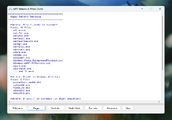
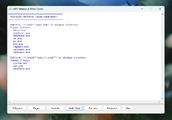
Pattern Syntax
Patterns are separated by pipe (|) character.
1. Wildcards (Default):
2. File Includes (@<file>):
3. Regular Expressions ($"pattern"):
4. Combined:
---
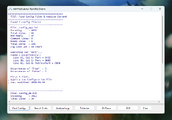
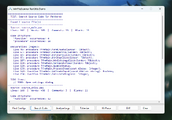
Quick Start Examples
File Search Example:
Text Analysis Plugin Example:
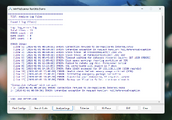
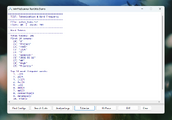
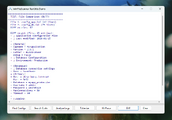
============================================================
Overview:
WinFileScanner is a high-performance file system scanning library designed for complex pattern matching, exclusion filters, and recursive directory traversal. Written in Nim for maximum efficiency, it includes a comprehensive 'Text File Content Plugin' for advanced text analysis, encoding detection, and file comparison directly within your applications or Inno Setup installers.
Specifications:
• Version : v4.0
• Author : BLACKFIRE69
• Language : Nim (v2.2.8)
• Compatibility : Windows XP or later
• Thread Safety : Handle-based (Thread-safe per handle)
Key Features:
• Multi-pattern file matching with wildcards
• Regular expression pattern matching (v3.1+)
• Input validation with user-friendly error messages (v3.1+)
• Exclude pattern support for fine-grained scanning
• Recursive directory scanning with high performance
• CRC32 hash calculation (optional) for file verification
• Hidden/system file filtering options
• Multiple result and output format types (v3.2+)
• Directory enumeration and result persistence to file
• Memory-efficient handle-based result storage
Text Analysis Plugin Features:
• Encoding detection (ANSI, UTF-8, UTF-8 BOM, UTF-16 LE/BE)
• Text statistics (lines, words, chars, comments, blanks)
• Text search (simple, regex, multi-pattern, contextual)
• Tokenization (words, lines, custom delimiters, frequency)
• Content splitting (delimiter, quote-aware, key-value, groups)
• File comparison (LCS-based diff)
• Save results directly to file
Available Builds:
Optimized for speed, not size.
WinFileScanner_clang.dll
Size: 153 KB | Clang backend v22.1.0
WinFileScanner_gcc.dll
Size: 202 KB | GCC backend v15.2.0
WinFileScanner_msvc.dll
Size: 213 KB | MSVC backend v18.3.2
---
Pattern Syntax
Patterns are separated by pipe (|) character.
1. Wildcards (Default):
Форматирование (BB-код):
*.exe — All .exe files
*.exe|*.dll — All .exe and .dll files
game*.dll — Files starting with "game" ending with .dll
20??_cfg.ini — ? matches single character (2023_cfg.ini, 2024_cfg.ini)
images?\png\* — Matches images1\png\*, images2\png\*, etc.
2. File Includes (@<file>):
Форматирование (BB-код):
@masks.txt — Load patterns from file (one per line)
@"C:\my masks.txt" — Quoted path for spaces
@".\local.txt" — Relative path
3. Regular Expressions ($"pattern"):
Форматирование (BB-код):
$"^setup.*\.exe$" — Files starting with "setup" ending with .exe
$".*\d{4}.*" — Files containing 4 consecutive digits
$"^[^.]+$" — Files without extension
4. Combined:
Форматирование (BB-код):
*.dll|$"^setup.*\.exe$"|@C:\masks.txt---
Quick Start Examples
File Search Example:
Форматирование (BB-код):
{Code}
var
  FindHandle: Longint;
  i: Integer;
begin
  // Search for all .exe and .dll files recursively
  FindHandle := wfs_FindFilesEx(
    'C:\MyFolder', // Search path
    '', // Destination path (empty = same as search path)
    '*.exe|*.dll', // Include patterns
    '', // Exclude patterns
    frfFullPath, // Result format: full paths
    ftSFV, // List output format: <File> <Hash>
    True, // Recursive
    False, // Include hidden files
    False, // Include system files
    False, // Don't enumerate directories
    True); // Calculate CRC32 hash

  if FindHandle > 0 then
  begin
    for i := 0 to wfs_FileCount(FindHandle) - 1 do
      Log(wfs_PickFile(FindHandle, i));
  end;

  wfs_FindFree(FindHandle); // IMPORTANT: Always free the handle!
end;
Text Analysis Plugin Example:
Форматирование (BB-код):
{Code}
var
  hText, hSearch: Longint;
  i: Integer;
begin
  // Load a text file with "//" and "#" as comment prefixes
  hText := wfs_TextOpen('C:\src\main.pas', '//|#');

  if hText > 0 then
  begin
    Log('Lines: ' + IntToStr(wfs_TextStatTotalLines(hText)));
    Log('Words: ' + IntToStr(wfs_TextStatTotalWords(hText)));
    Log('Encoding: ' + wfs_TextGetEncodingStr(hText));

    // Search for a pattern
    hSearch := wfs_TextSearch(hText, 'function', False, True);
    Log('Functions found: ' + IntToStr(wfs_TextSearchCount(hSearch)));
    wfs_TextSearchFree(hSearch);

    wfs_TextFree(hText); //Always free the handle!
  end;
end;