

BLACKFIRE69
Новичок
FMX Style Explorer v2.0 - A Tool to Explore FireMonkey Styles
============================================
Overview:
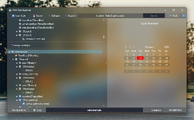
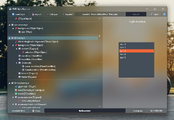
FMX Style Explorer (v2.0) is a lightweight and useful utility designed to help Delphi developers easily navigate and analyze FireMonkey styles. It provides a clear visual breakdown of both .style and .fsf files.
Specifications:
• Version : v2.0.0.0
• Author : BLACKFIRE
• Language : Delphi (FMX)
• Compatibility : Delphi XE2 or later (.style / .fsf files)
Key Features:
• Visual Hierarchy: View the complete object tree of any FMX style file
• Live Previews: Select any style entry to instantly preview the control
• Powerful Search: Case-insensitive search with F3 to cycle through matches
• Compression Tool: Convert text styles to binary format (2-3x smaller size)
• Export List: Generate a full list of styles for documentation
• Clean & Simple UI: Built with FireMonkey + keyboard shortcuts support
Keyboard Shortcuts:
• Ctrl + O → Open style file
• Ctrl + F → Search styles
• F3 → Find next match
• Ctrl + C → Copy selected style name
• Esc → Clear search / selection
Compression Benefits:
• Binary format significantly reduces file size (typically 2-3x smaller)
• Faster loading times in your applications
• Ideal for final application distribution
What's New in v2.0:
• Visual hierarchy categorization
• Live preview engine for FMX controls
• New "Export List" feature for documentation
• Integrated binary compression utility
• Updated UI using "AuraUI" components
============================================
Overview:
FMX Style Explorer (v2.0) is a lightweight and useful utility designed to help Delphi developers easily navigate and analyze FireMonkey styles. It provides a clear visual breakdown of both .style and .fsf files.
Specifications:
• Version : v2.0.0.0
• Author : BLACKFIRE
• Language : Delphi (FMX)
• Compatibility : Delphi XE2 or later (.style / .fsf files)
Key Features:
• Visual Hierarchy: View the complete object tree of any FMX style file
• Live Previews: Select any style entry to instantly preview the control
• Powerful Search: Case-insensitive search with F3 to cycle through matches
• Compression Tool: Convert text styles to binary format (2-3x smaller size)
• Export List: Generate a full list of styles for documentation
• Clean & Simple UI: Built with FireMonkey + keyboard shortcuts support
Keyboard Shortcuts:
• Ctrl + O → Open style file
• Ctrl + F → Search styles
• F3 → Find next match
• Ctrl + C → Copy selected style name
• Esc → Clear search / selection
Compression Benefits:
• Binary format significantly reduces file size (typically 2-3x smaller)
• Faster loading times in your applications
• Ideal for final application distribution
What's New in v2.0:
• Visual hierarchy categorization
• Live preview engine for FMX controls
• New "Export List" feature for documentation
• Integrated binary compression utility
• Updated UI using "AuraUI" components