
BLACKFIRE69
Новичок
CmdOut - High-Performance Real-time CMD Capture API for Inno Setup
================================================================
Overview:
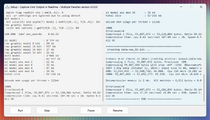
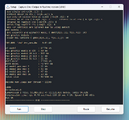
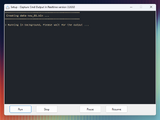
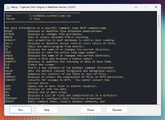
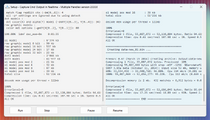
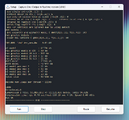
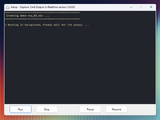
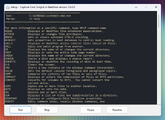
CmdOut is a powerful, low-latency library designed to capture and display standard output (STDOUT) from command-line processes directly within Inno Setup.
Re-written in Nim for maximum efficiency, it allows developers to integrate external tools (like 7-Zip, SREP, XTool, or custom batch files) into their installers with real-time feedback, progress tracking, and full process control.
Specifications:
• Version: v2.0.0.0
• Author : BLACKFIRE (Original by Ele)
• Language: Nim (v2.2.8)
• Compatibility: Inno Setup v5.x / v6.x and later
• License: Proprietary (See LICENSE file)
Key Features:
• Real-time Capture with persistent buffer (no GC, no flickering)
• Smart direct TMemo updates with optimized scrolling
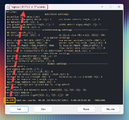
• Full Process Control (Suspend / Resume / Stop main + child processes)
• Auto-Progress Detection (percentages and fractions)
• Advanced sub-process targeting by name
• Windows Message support (SendMessage)
• Performance metrics (Exit Code, PID, Elapsed Time)
• Experimental font & header customization
What's New in v2.0 (Nim Rewrite):
• Ported from Delphi to Nim → much smaller DLL + better performance
• O(n) string handling for large outputs
• Full Unicode (UTF-16) support
• Fixed TMemo flickering issues
Available Builds: (optimized for speed)
• cmdout_clang.dll → 81 KB (Clang 22.1.2)
• cmdout_gcc.dll → 99 KB (GCC 15.2.0)
• cmdout_msvc.dll → 143 KB (MSVC 18.4.3)
Distribution Files:
CmdOut.dll – Core API Library
CmdOut.iss - Inno Setup Header
Examples - 6 ready-to-use .iss templates
Quick Start Example
================================================================
Overview:
CmdOut is a powerful, low-latency library designed to capture and display standard output (STDOUT) from command-line processes directly within Inno Setup.
Re-written in Nim for maximum efficiency, it allows developers to integrate external tools (like 7-Zip, SREP, XTool, or custom batch files) into their installers with real-time feedback, progress tracking, and full process control.
Specifications:
• Version: v2.0.0.0
• Author : BLACKFIRE (Original by Ele)
• Language: Nim (v2.2.8)
• Compatibility: Inno Setup v5.x / v6.x and later
• License: Proprietary (See LICENSE file)
Key Features:
• Real-time Capture with persistent buffer (no GC, no flickering)
• Smart direct TMemo updates with optimized scrolling
• Full Process Control (Suspend / Resume / Stop main + child processes)
• Auto-Progress Detection (percentages and fractions)
• Advanced sub-process targeting by name
• Windows Message support (SendMessage)
• Performance metrics (Exit Code, PID, Elapsed Time)
• Experimental font & header customization
What's New in v2.0 (Nim Rewrite):
• Ported from Delphi to Nim → much smaller DLL + better performance
• O(n) string handling for large outputs
• Full Unicode (UTF-16) support
• Fixed TMemo flickering issues
Available Builds: (optimized for speed)
• cmdout_clang.dll → 81 KB (Clang 22.1.2)
• cmdout_gcc.dll → 99 KB (GCC 15.2.0)
• cmdout_msvc.dll → 143 KB (MSVC 18.4.3)
Distribution Files:
CmdOut.dll – Core API Library
CmdOut.iss - Inno Setup Header
Examples - 6 ready-to-use .iss templates
Quick Start Example
Форматирование (BB-код):
{Code]
#include "CmdOut.iss"

procedure InitializeWizard ();
begin
  // Initialize CmdOut with Wizard and Memo handle
  ISCmdInit(WizardForm.Handle, MyMemo.Handle, False, True);
end;

procedure DeinitializeSetup ();
begin
  // Clean up if process is still running
  bCmdOutAbort := True; // or use ISCmdStop();
  ISCmdCleanup;
end;

procedure StartInstallation();
var
  Exe, Params, Dir: String;
begin
  Exe := ExpandConstant(' {src}\tools\arc.exe ');
  Params:= 'a -m=lzma data.bin "_Pack\*"';
  Dir := ExpandConstant(' {src} ');

  // Run process with real-time callback
  if ISCmdRun (Exe, Params, Dir, CreateCallback(@UpdateMemo)) then
    MsgBox('Process finished with code: ' + IntToStr( ISCmdGetExitCode ), mbInformation, MB_OK);
end;

function UpdateMemo (const ACaption, AText: WideString; const hMemo: HWND): Boolean;
begin
  // Update memo and return True to abortion
  ISCmdUpdateMemo(hMemo, AText);
  Result := UserAborted;
end;
Вложения
Последнее редактирование: